
How to Use the Sun-facing Horizon Open Condition
Sunrise and sunset colours often depend on a simple question: can sunlight get through the clouds? A forecast can show useful cloud above your location, but low cloud, rain, haze, or a blocked horizon toward the sun can still stop that light from reaching the clouds or the scene you care about.
This guide explains how to use the "Sun-facing Horizon Open" Smart Check in PhotoSignal, when it helps, and when it should stay separate from your main colour alert. For broader sky interpretation, see Sky Context for Sunrise and Sunset Photography.
Why an open horizon matters
The sun-facing horizon is the part of the sky where sunrise or sunset light is coming from. If that part of the sky is open, light has a better chance of reaching high or mid-level clouds. If it is blocked, a promising cloud forecast can turn into flat grey light.
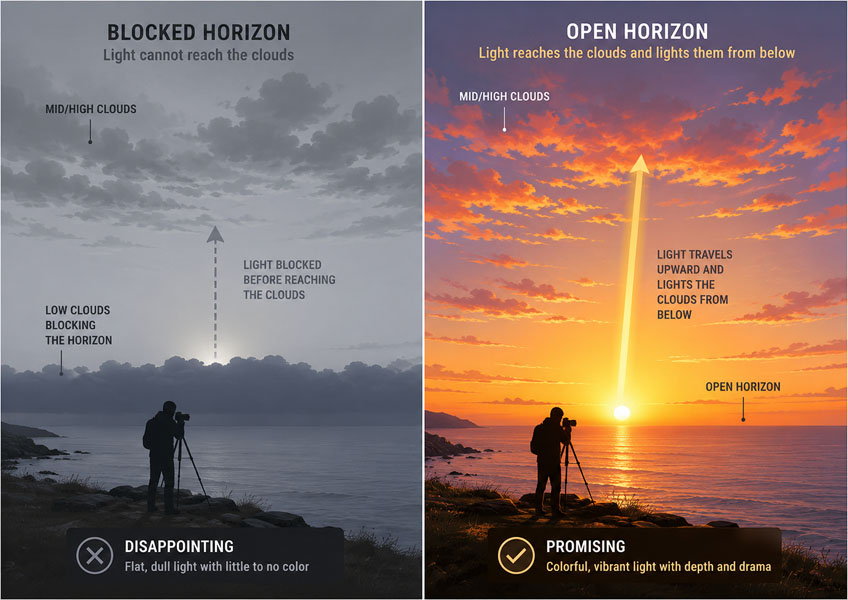
This matters most when you are deciding whether a sunrise or sunset is worth watching more closely. A horizon gap can be enough to light up the clouds above a mostly covered sky. The opposite can also happen: a tidy "High cloud" forecast can disappoint if the low cloud sits between your location and the sun.
What the condition tracks
The "Sun-facing Horizon Open" Smart Check looks at the forecast in the actual sunrise or sunset direction (calculated) for your saved location. It is looking for an open path toward the sun. This includes horizon gaps (a narrow gap under heavy clouds) or just clear conditions (no distant clouds).
It only works with timing windows anchored to sunrise or sunset.
How to create the alert
- Open the location you want to watch. Choose a saved location where sunrise or sunset light matters, such as a coast, lookout, lake, ridge, or open landscape.
-
Create a new alert.
Click Create Alert and name it clearly, such as "Open sunrise horizon" or "Open sunset horizon".
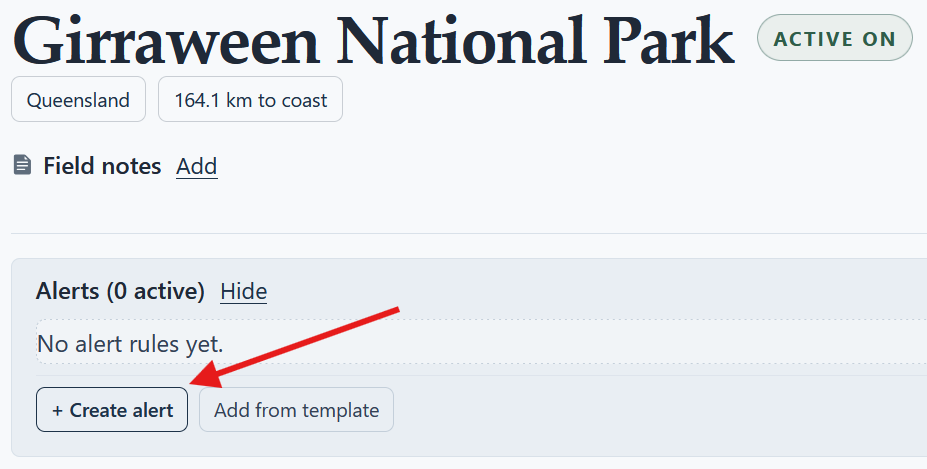
Start from a saved location, then create an alert for the conditions you want PhotoSignal to watch. -
Add the Sun-facing Horizon Open Smart Check.
Add "Sun-facing Horizon Open" as the main condition. Keep the first version simple so you can learn how it
behaves at that location.
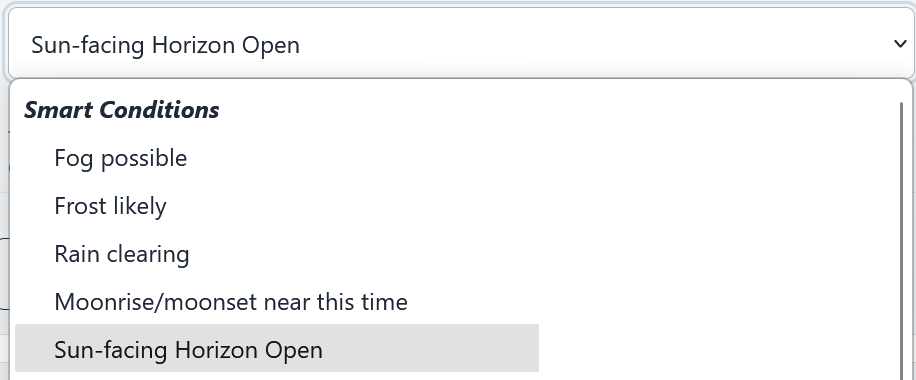
Select "Sun-Facing Horizon Open" condition from the list. - Set sunrise or sunset timing. Use an anchored timing window around sunrise, sunset, or both. A first version can use a wider window, then you can narrow it after seeing real matches.
- Save and compare with your colour alerts. Treat the result as a signal to inspect the window, not as a guarantee of colour. Check it alongside alerts based on "High cloud", "Low cloud", "Total cloud", or the "Colour Potential at Sunrise/Sunset" template.
Best use cases
- Chasing colour: use it as an additional signal alongside cloud-layer alerts. If the
sun-facing horizon is open, sunlight has a better chance of reaching the clouds.
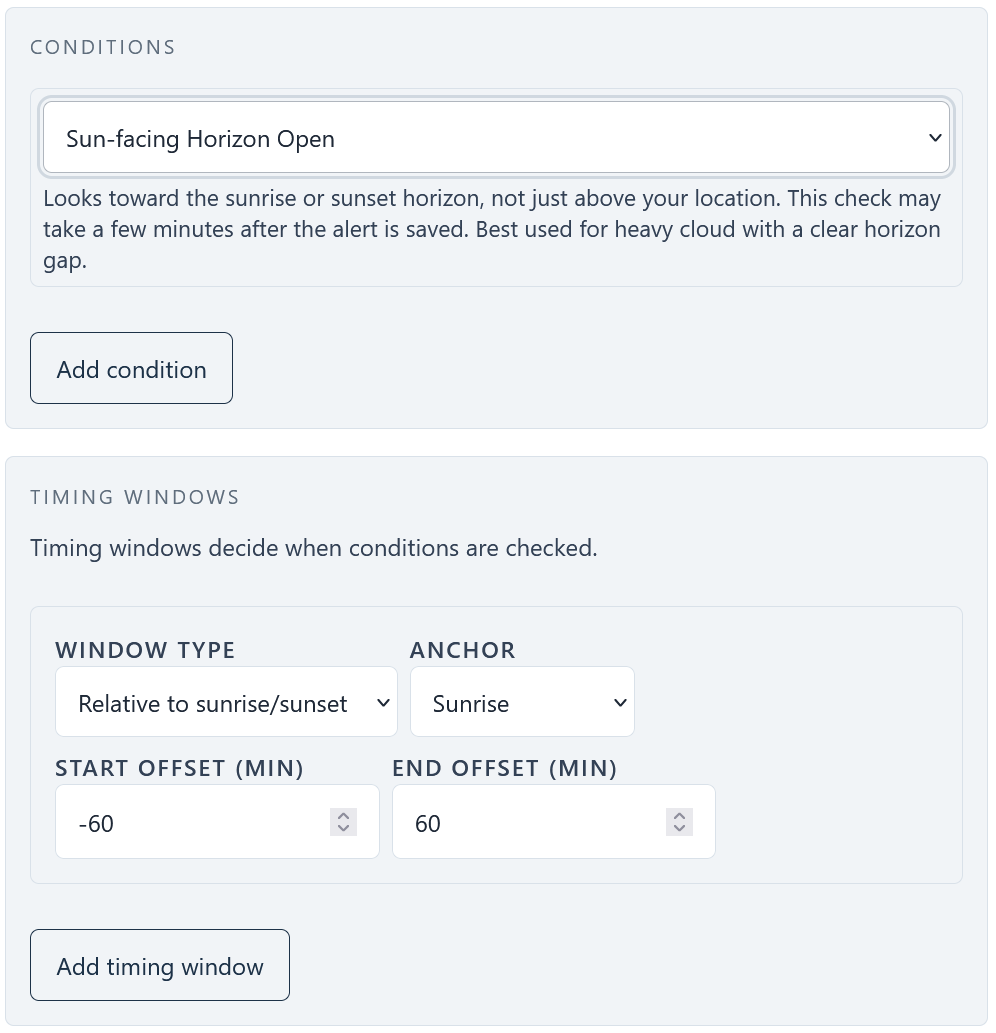
Select "Sun-Facing Horizon Open" as a standalone check to check what's going on. - Looking for drama: an open horizon can matter even when the sky above is heavy with low
cloud. If low sun can break through beneath that cloud, the result can be dramatic light rather than a flat
grey sky. Use this in combination with Low Clouds or Total Clouds to get some drama.
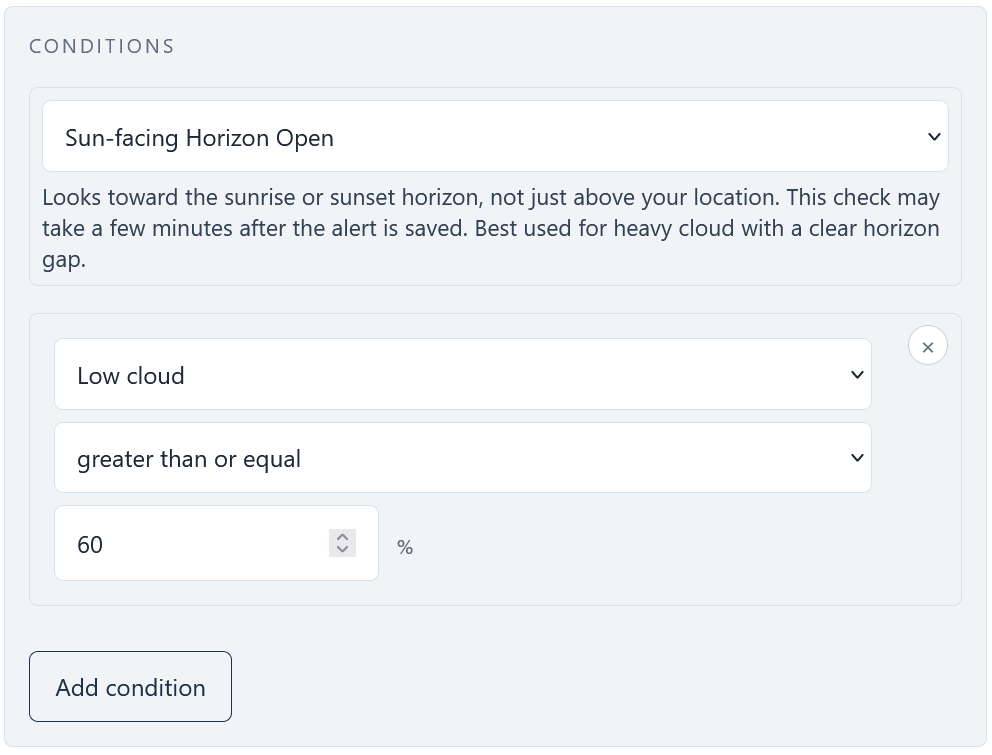
Combine with Low Clouds filter to get heavy clouds above you and an open horizon to light them up. - Early morning forest photoshoots: when low sun beaming through trees is important, use it to watch whether the sunrise side may be open enough for direct light to reach the forest.
What not to do
Do not make this your only test for a colourful sky. An open horizon with no useful cloud may produce clean but empty light. A partly blocked horizon can still work when high cloud is placed well enough to catch light.
It is usually best to keep "Sun-facing Horizon Open" as a separate alert instead of forcing it into every colour alert. That keeps your cloud-layer alert from becoming too strict, while still giving you extra context when the sun-facing side looks promising.
Do not use it for moonrise or moonset. The moon can be important for landscape photography, but this condition is about the sun-facing horizon around sunrise and sunset. For full-moon timing, use the full moonrise and moonset alert guide.
Availability
The "Sun-facing Horizon Open" Smart Check is available on all PhotoSignal plans. Detailed Sky Context interpretation is separate and is available on the Chaser plan.
Conclusion
"Sun-facing Horizon Open" is most useful as a practical context alert for sunrise and sunset. Use it to watch whether the light path toward the sun may be open, then combine that signal with cloud-layer alerts, Sky Context, and your own knowledge of the location.