Weather Alerts for Landscape and Seascape Photographers
PhotoSignal helps landscape and seascape photographers monitor weather windows that may be worth shooting. Instead of repeatedly checking separate forecasts for cloud, fog, wind, tide, rain, moon timing, and sunrise or sunset conditions, you can create alerts for the combinations that matter to your photography.
It does not guarantee good light - no forecast can do that. The goal is to reduce manual checking and highlight conditions worth watching.
Stop checking ten forecasts manually
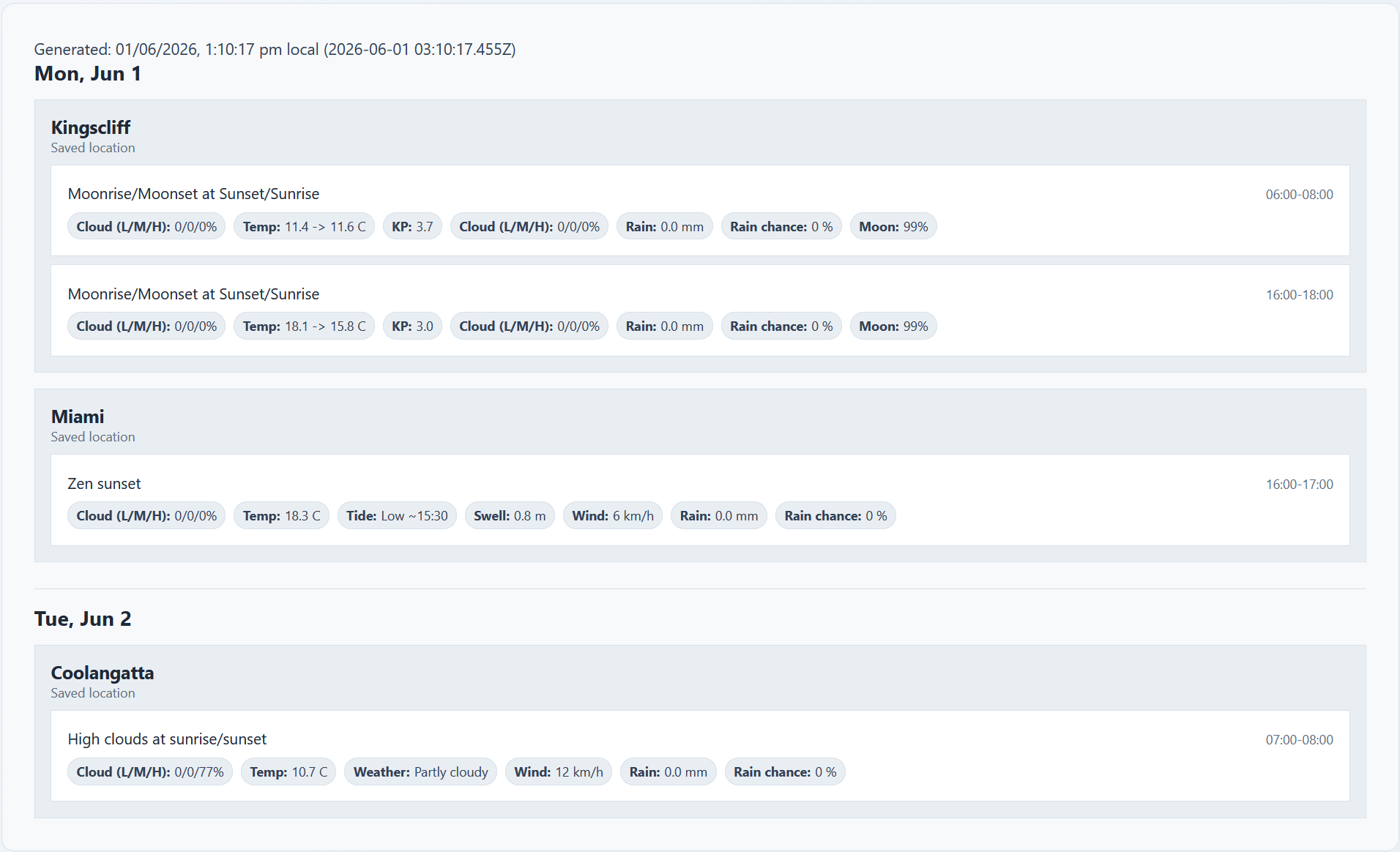
Planning a landscape shoot often means jumping between a weather app, a cloud forecast, a tide table, a marine forecast, a moon app, and a sunrise or sunset planner. That works, but it is repetitive and easy to miss changes.
PhotoSignal watches for your saved locations and sends alerts when your chosen photography conditions line up. You still make the final decision, but you do not have to manually check every location every day.
What PhotoSignal watches
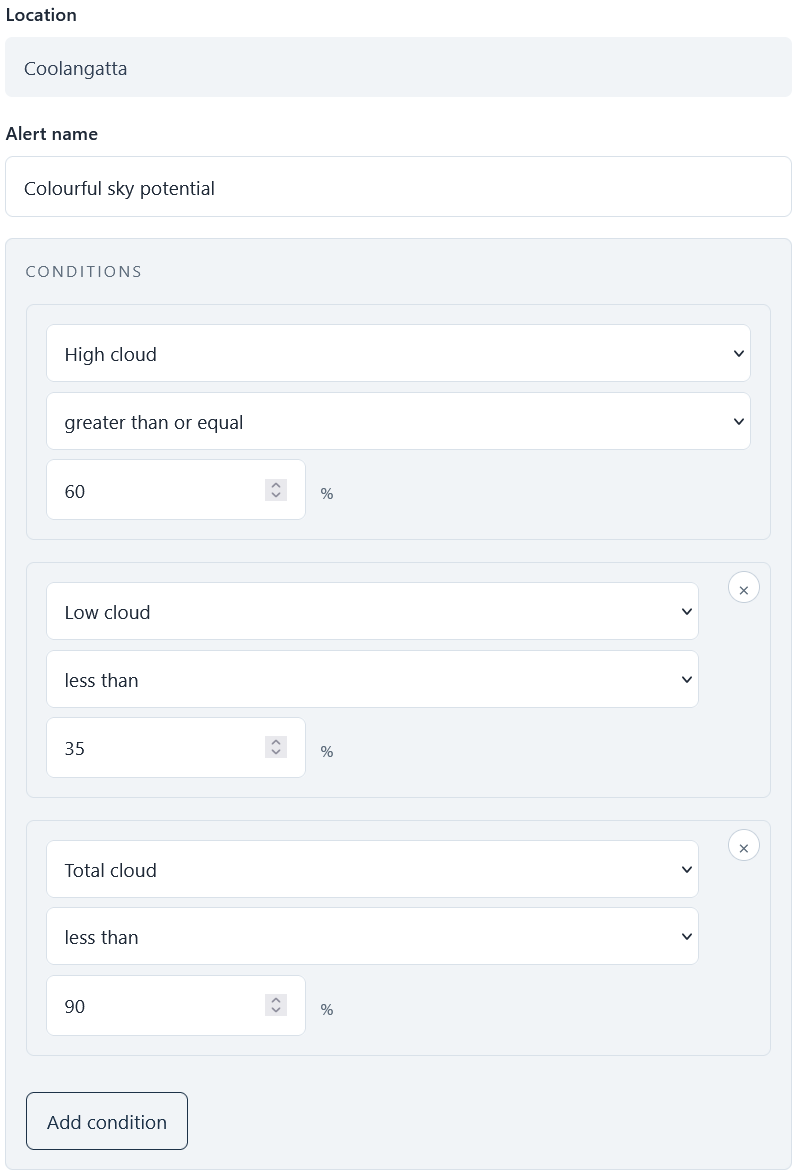
PhotoSignal can monitor conditions that matter to outdoor photographers, including:
- Cloud layers: low, mid, high, and total cloud
- Rain and rain-clearing windows
- Fog-related conditions such as visibility, humidity, and wind
- Wind speed and direction
- Tides for coastal and seascape planning
- Wave height and wave period where marine data is available
- Moonrise, moonset, and moon phase timing
- Sun-facing open horizons around sunrise or sunset
- Specialist signals, such as geomagnetic activity for aurora planning
The best part is that you can combine multiple signals together.
Smart photography alerts
Some photography situations are more than a single forecast value. PhotoSignal includes smart alert types that combine multiple conditions to detect patterns that photographers often care about. For example:
- Rain Clearing: watches for rain easing after a period of precipitation, which can sometimes lead to dramatic skies, cleaner air, reflections, or rainbow potential.
- Fog possible: watches for forecast patterns that may support fog formation, such as calm wind, high humidity, low visibility, and suitable temperature conditions.
- Frost Possible: watches for cold, calm conditions that may support frost formation in suitable locations.
- Moonrise/Moonset around an anchor point: Notifies you when the moonrise or moonset aligns with a sunrise or sunset.
- Sun-facing Horizon Open: checks sunrise or sunset windows for an open horizon toward the sun using directional sky context. See the Sun-facing Horizon Open guide for a practical setup.
Forecasts change. Your alerts should too.
PhotoSignal alerts are designed around real photography planning, not just one-off forecast checks. If a forecast window matches your alert rule, PhotoSignal can send an upcoming notification about 24 hours before the window starts. That gives you time to plan, charge batteries, clear the morning, or decide whether the opportunity is worth watching.
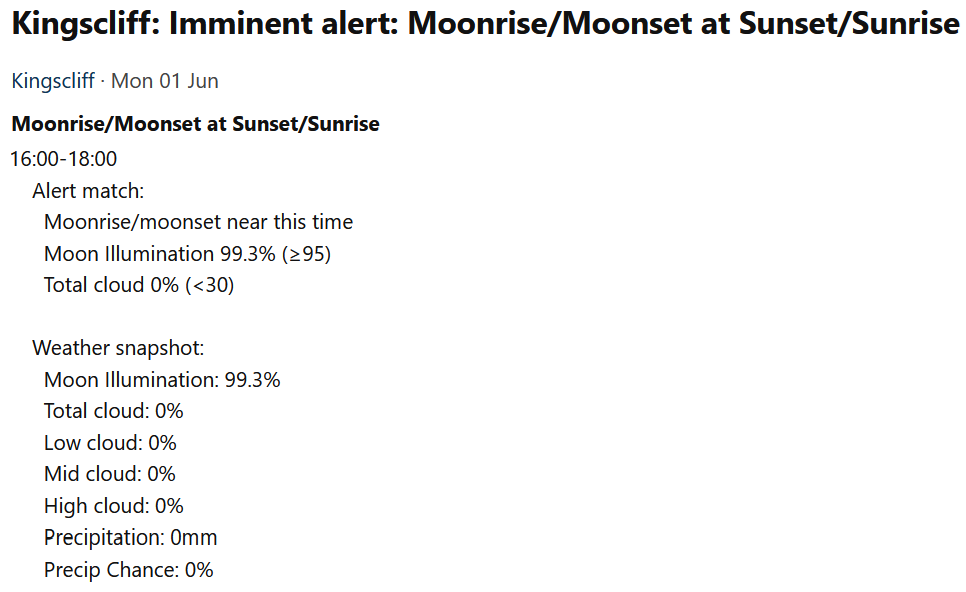
Closer to the time, PhotoSignal checks again. If the forecast still matches, you can receive an imminent notification around 3 hours before the window starts. If the forecast has changed and the conditions no longer match, PhotoSignal can send a cancellation instead.
That second check matters. Weather windows often look promising the day before and disappear by the time you would actually need to leave. The goal is not to promise perfect conditions, but to reduce stale alerts and help you avoid chasing forecasts that have already fallen apart.
Example photography alerts
- High cloud sunset: watch for high cloud around sunset while avoiding too much low cloud blocking the horizon. The colourful sunrise and sunset alert guide shows the practical setup.
- Sun-facing horizon open: watch sunrise or sunset windows where the horizon toward the sun may be open, either through a gap or clearer sky. The setup guide explains when to keep this separate from your main colour alert.
- Foggy morning: look for calm, humid early-morning conditions that may support fog formation.
- Rain clearing: monitor periods when rain is forecast to ease before sunrise or sunset.
- Seascape tide window: combine tide timing with wind, wave, and sky conditions for coastal shoots.
- Moonrise near sunset: watch for moonrise timing that aligns with sunset or twilight.
Why is it not a normal weather app
PhotoSignal is not just a weather app. It's a photography planning tool that uses weather data to help you find promising conditions for landscape and seascape photography. The alerts are designed to be actionable and relevant to photographers, rather than just providing raw weather data.
Use alerts as planning signals
PhotoSignal is a planning tool, not a guarantee. Forecasts can miss local fog, fast-changing coastal weather, cloud gaps, storm timing, and real-world access or safety conditions. Treat our alerts as signals to investigate, prepare for, or watch more closely.
Start with a free plan
PhotoSignal is currently free under the current limits. Higher limits and extended functionality are planned.
Screenshots are from the desktop web app. PhotoSignal also works in mobile browsers, although the layout may differ on smaller screens.