
Fog Alerts for Landscape Photography
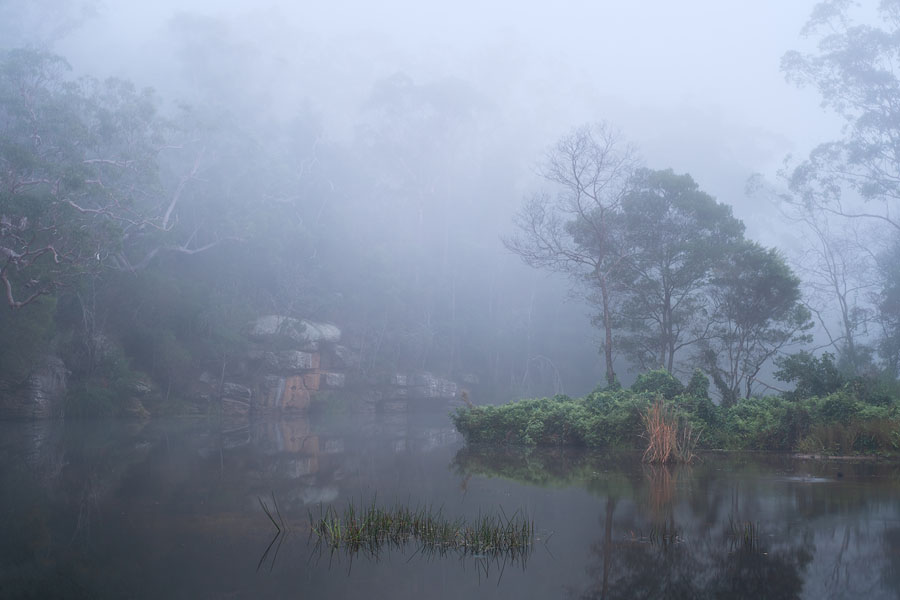
Fog can completely change a landscape. It can simplify busy scenes, separate layers, soften harsh details, and turn ordinary locations into something atmospheric.
The hard part is knowing when fog is possible without checking forecasts every night and every early morning. And even then, forecasts often miss the fog, which can be highly local and sensitive to small changes in wind, humidity, temperature, terrain, and overnight cooling. PhotoSignal helps you watch saved locations for fog-friendly conditions and receive alerts when it may be worth going out.
Why fog is difficult to forecast
Fog is highly local. It can form in one valley while a nearby hill stays clear, or sit over a river while the surrounding area looks completely normal. Small changes in the atmosphere can make a big difference.
That is why PhotoSignal treats fog as a possibility signal, not a promise. The goal is to highlight windows where the forecast pattern looks more favourable, so you can decide whether the location is worth visiting.
What fog-friendly conditions look like
Fog is more likely when the air is humid, the wind is light, and surface temperatures allow moisture to condense. The exact pattern may differ by location, but a good rule of thumb is to watch for a combination of:
- High humidity
- Low wind
- Small temperature and dew point spread
- Low visibility in the forecast
- Recent rain or damp ground in some locations
- Overnight cooling before sunrise
- Valleys, rivers, lakes, forests, waterfalls, and sheltered areas
What PhotoSignal watches
PhotoSignal monitors signals that may support fog formation, then evaluates them and combines them into a fog alert for a saved location.
- Humidity: humid air can support fog, especially overnight or near sunrise.
- Temperature and dew point: a smaller spread can indicate conditions closer to saturation.
- Wind: calmer conditions allow fog to form and hang around for longer periods.
- Visibility: reduced visibility can indicate mist, fog, or similar low-level atmospheric conditions.
- Timing: you can set alerts for specific times, such as after sunrise, and skip the night hours.
When those signals line up, PhotoSignal can treat the window as foggy and notify you before you need to make the early-start decision.
If you want the practical setup steps, see How to Create a Fog Alert.
How alerts help with early mornings
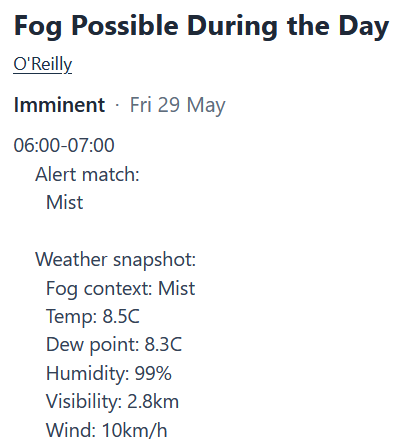
Fog photography often means deciding the night before whether an early start is worth it. PhotoSignal gives you an upcoming alert when a fog-friendly window appears in the forecast, then check again closer to the time. It gives either a confirmation if the forecast still looks good, or a cancellation if the forecast has changed and the conditions no longer match.
Use fog alerts as possibility signals
Fog alerts are possibility signals. Fog can be highly local, and small differences in terrain, wind, moisture, overnight cooling, and elevation can decide whether it forms, lingers, or disappears before you arrive.
Forecast models can also disagree on local conditions like fog. Future multi-model confidence may help show when different models agree or disagree, but the final decision still belongs to you.
Start with a free plan
PhotoSignal is currently free under the current limits. Higher limits and extended functionality are planned.