Moonrise and Moonset Alerts for Photography
Moon timing can turn a familiar landscape into a very different place. A moonrise near sunset, a moonset near sunrise, or a bright moon above a coastal, mountain, or open landscape can add structure, point of interest, and atmosphere to the scene.
PhotoSignal helps you watch for moonrise and moonset timing around the light windows you care about, so the moon does not become one more thing you have to remember to check manually.
How Moon timing works
The moon rises and sets at different times each day, and the timing changes throughout the month as the moon goes through its phases. The moon can rise or set during the day, night, or twilight hours, depending on the date and your location.
Full moons rise near sunset and set near sunrise, while new moons are generally not visible. The moon rises about 50 minutes later each day, so the timing shifts gradually. This gives you an opportunity to photograph the Moon at the best times of day for your location and composition.
Moonrise near sunset
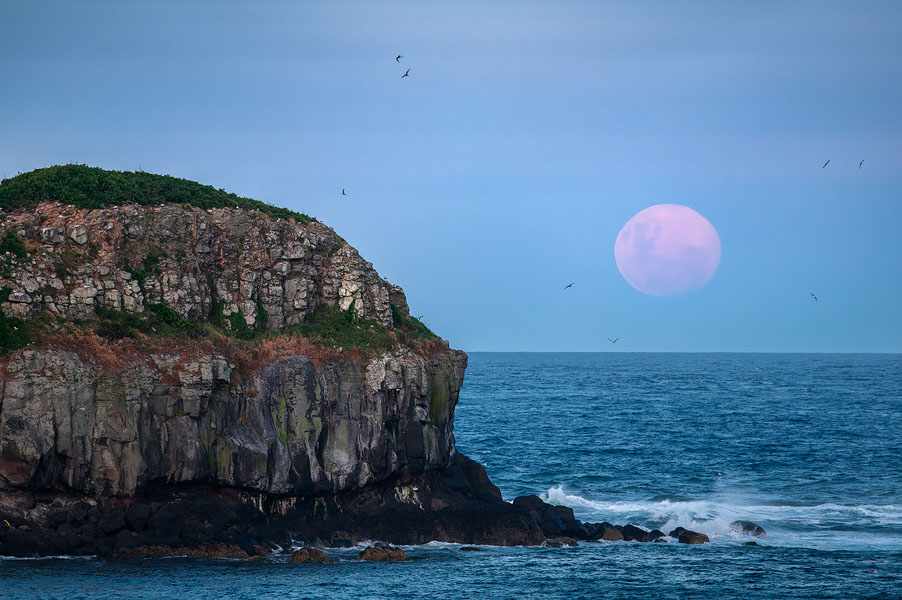
A moonrise close to sunset can place the moon in warm light or twilight, depending on timing. The landscape still has enough detail to photograph. This can be useful for coastal headlands, mountains, open horizons, and compositions where the moon becomes part of the scene. Like the sun, the moon at moonrise appears red and can look larger near the horizon, adding drama to your photos.
Moonset near sunrise
A moonset close to sunrise can offer similar opportunities to capture the moon in soft morning light or twilight. The difference here comes down to the direction that works best for your location - East for moonrise, West for moonset.
Moon phase and brightness
There are also opportunities to photograph the moon during other phases, such as crescent or gibbous. PhotoSignal allows you to create alerts for moon illumination percentage. Combining this with the timing of moonrise and moonset can help you find the best opportunities for your composition.
Moon brightness and astrophotography
The moon can be too bright for astrophotography, especially during a full moon. So, monitoring moon brightness is important for planning astrophotography sessions. Another option is to use moonrise and moonset to find nights with no moon in the sky, which can be ideal for capturing stars and the Milky Way.
What PhotoSignal can watch
PhotoSignal can monitor moon timing alongside other conditions that matter to your saved locations.
- Moonrise and moonset: watch for moon events near sunrise, sunset, or another selected time.
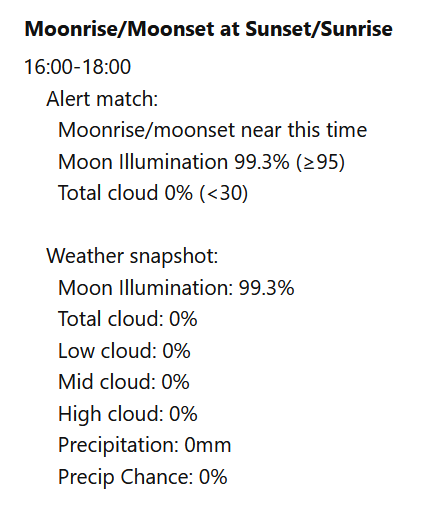
- Moon illumination percentage: consider whether the moon will be full, near-full, crescent, or less prominent.
- Timing windows: alert when moon events occur near the light window you care about.
- Weather conditions: combine moon timing with cloud, wind, rain, or other forecast signals. Cloud cover is important to consider, as it can hide the moon. Wind is also important, as it can affect your long-exposure shots.
- Location-based planning: save places where moon timing regularly matters to your compositions.
Moon timing is only one part of the shot
PhotoSignal can help you notice when the moonrise or moonset lines up with sunrise, sunset, twilight, or another timing window. That takes one more thing off the manual checklist.
The final photograph still depends on the usual creative and practical choices: direction, moon elevation, foreground alignment, lens choice, cloud, haze, visibility, access, and safety.
For quick checks, use the limited public Moon Planner moon table to calculate moonrise, moonset, azimuth, illumination, and phase by coordinates. Logged-in PhotoSignal users get the nicer version inside each saved location page, where the location and timezone are already known and longer planning ranges are available.
If you want a practical setup walkthrough, see how to create a moonrise or moonset alert for the full moon.
Start with a free plan
PhotoSignal is currently free under the current limits. Higher limits and extended functionality are planned.