
Sky Context for Sunrise and Sunset Photography
Sunrise and sunset light depend on more than the cloud percentage above your location. The most interesting conditions often come from the surrounding sky: a gap near the horizon, a cloud in the right place, rain clearing nearby, or side light reaching into the scene.
Sky Context looks beyond the exact forecast point and helps interpret how nearby clouds, rain, haze, and clear areas may shape the light, colour, and mood of a photography window. PhotoSignal turns weather data into photography-oriented interpretations.

Why is the cloud percentage not enough
Cloud percentage matters, but it does not tell you the full story. For photography, the real questions are more specific: What does the sky look like near the horizon? Is it blocked? Is there a gap? Is rain or haze sitting between the sun and your scene? Are there heavy clouds to the sides or opposite the sun that could catch some light?
Sometimes, 100% cloud cover at your location looks hopeless on paper. But if there is a clear gap near the horizon, the sun may still break through at sunrise or sunset, lighting up the clouds above. That is the kind of situation a simple cloud percentage can hide.
The opposite can happen, too. High cloud cover might look promising, but if low cloud is sitting 80 km away in the sunrise or sunset direction, it can block the light before it reaches your scene. Same cloud percentage, but very different photography potential.
What Sky Context looks for
Without going too far into the technical details, this feature looks beyond the exact location data. It checks the forecast around your location, up to roughly 120 km away, and looks for patterns in cloud cover, rain, haze, and clear gaps that may affect light and photographic potential.
- Horizon gaps
- Low cloud blockers
- Cloud mass
- High cloud potential
- Side-light potential
- Rain-clearing patterns
- Overcast risk
- Clear but empty skies
Blocked, clear, mixed, or promising
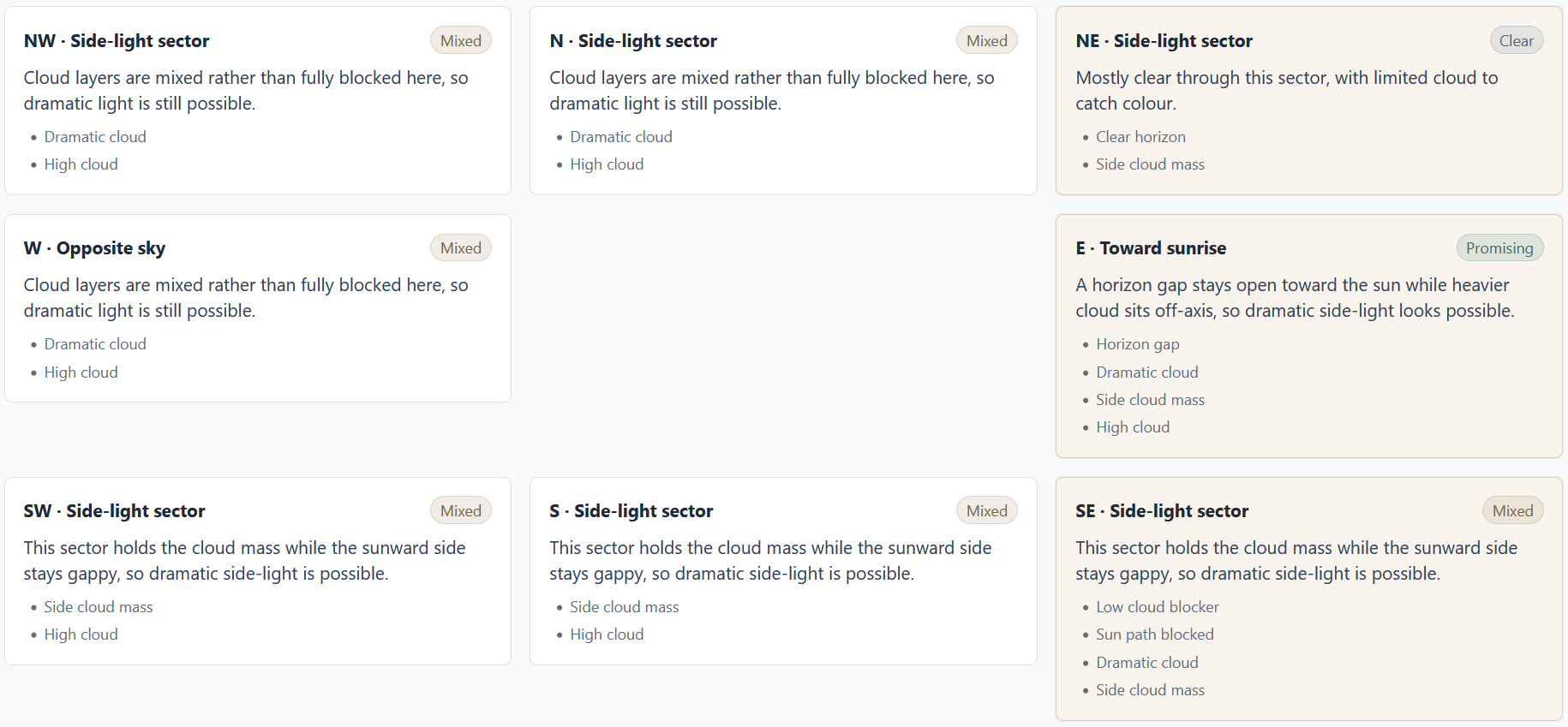
Each of the eight directions around your location is classified into one of four categories based on the weather and calculations:
- Blocked: The sun may be blocked by low cloud or rain in that direction.
- Clear: The data suggests clear skies with no significant cloud or rain in that direction.
- Mixed: There is some cloud or rain potential, but not enough to confidently predict blocked or clear conditions.
- Promising: The forecast shows patterns that may support more interesting light, such as high clouds with horizon gaps, distant rain, or sidelight potential.
Example: two scenarios with the same cloud percentage
Scenario A: 70% cloud, but low cloud blocks the eastern horizon.
Scenario B: 70% cloud, but the horizon is open, and high clouds sit above the sunrise
direction.
A normal weather app may make these look similar. For photography, they are completely different.
How photographers can use it
Set up your regular alerts for the conditions you care about. When you receive an alert, check Sky Context for that timing window. It can help you judge whether the surrounding sky looks blocked, clear, mixed, or promising before you decide whether to head out. The colourful sunrise and sunset alert guide shows one cloud-layer alert that Sky Context can help interpret, and the Sun-facing Horizon Open guide shows how to create a focused alert for the horizon toward the sun.
Use it as a second opinion. It can help you avoid chasing blocked or empty skies and focus more attention on windows where the surrounding sky structure looks more interesting.
Where it fits with alerts
Alerts tell you when your chosen conditions are forecast to line up. This feature helps explain what the surrounding sky may be doing. Together, they help you move from raw values toward photography planning.
Use Sky Context as interpretation
PhotoSignal helps interpret nearby cloud, rain, haze, and clear areas, but the sky can still change faster than any forecast model can capture.
Extended functionality
This feature is planned as extended functionality for photographers who want deeper interpretation around sunrise, sunset, and changing sky conditions.